Remember the people you meet.
Kindred Contact is an app for iPhone, iPad, Mac, and Apple Watch for the people you meet and want to know better. Say a quick note while it’s fresh, and Kindred keeps it with them: what you talked about, who introduced you, and what you said you’d send. Before you meet again, it brings it all back.
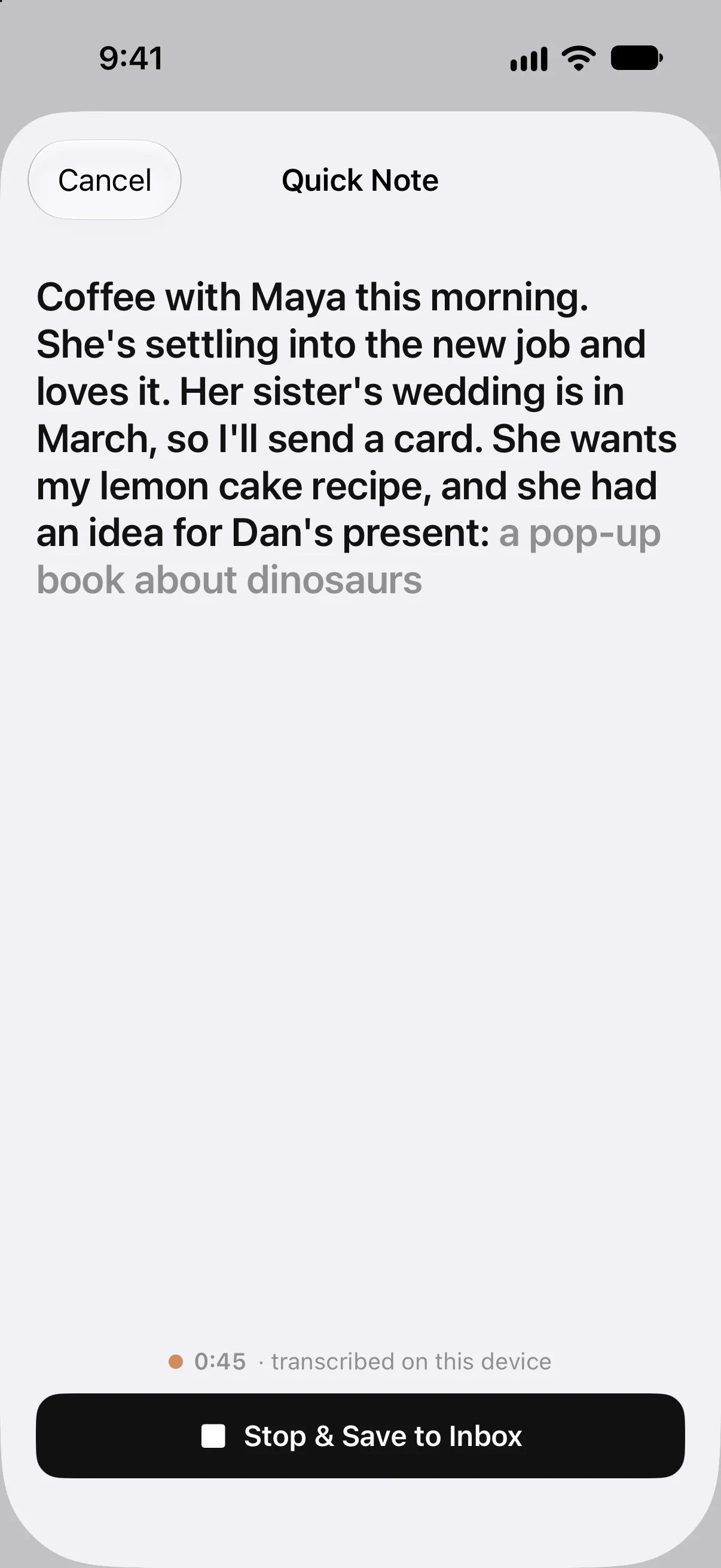
Say it on the way out. File it later.
Between sessions or on the walk back to the car, tap Quick Note and say what you want to remember in your own words. It’s transcribed on your device and waits in your Inbox until you file it with the right person.
- On Apple Watch, raise your wrist and say a quick note. It keeps the time you said it, not the time you filed it.
- Or ask Siri to start one, or tap the Quick Note widget on your Home Screen.
- Start one from Control Center, the Lock Screen, or the Action button, without opening Kindred first.Coming in 1.2
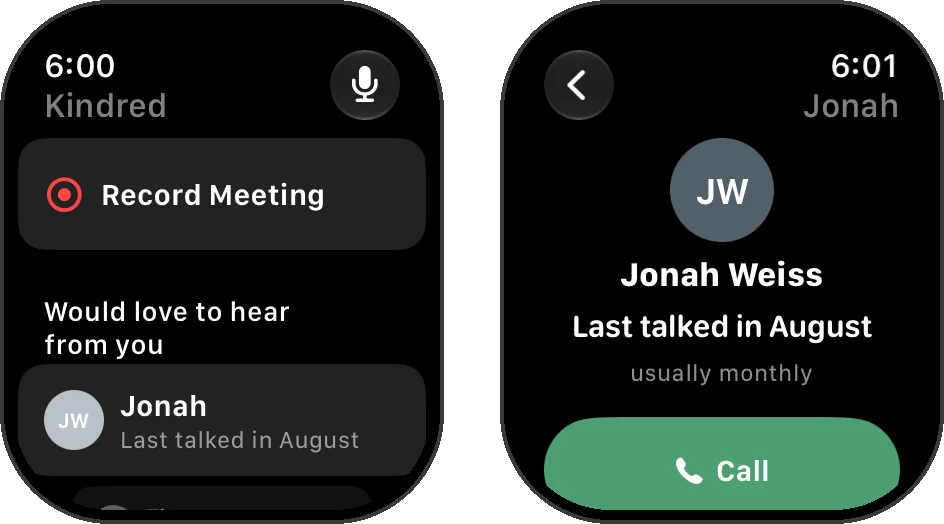
Kindred on Apple Watch: say a quick note, see who’s next, and call or message from your wrist.
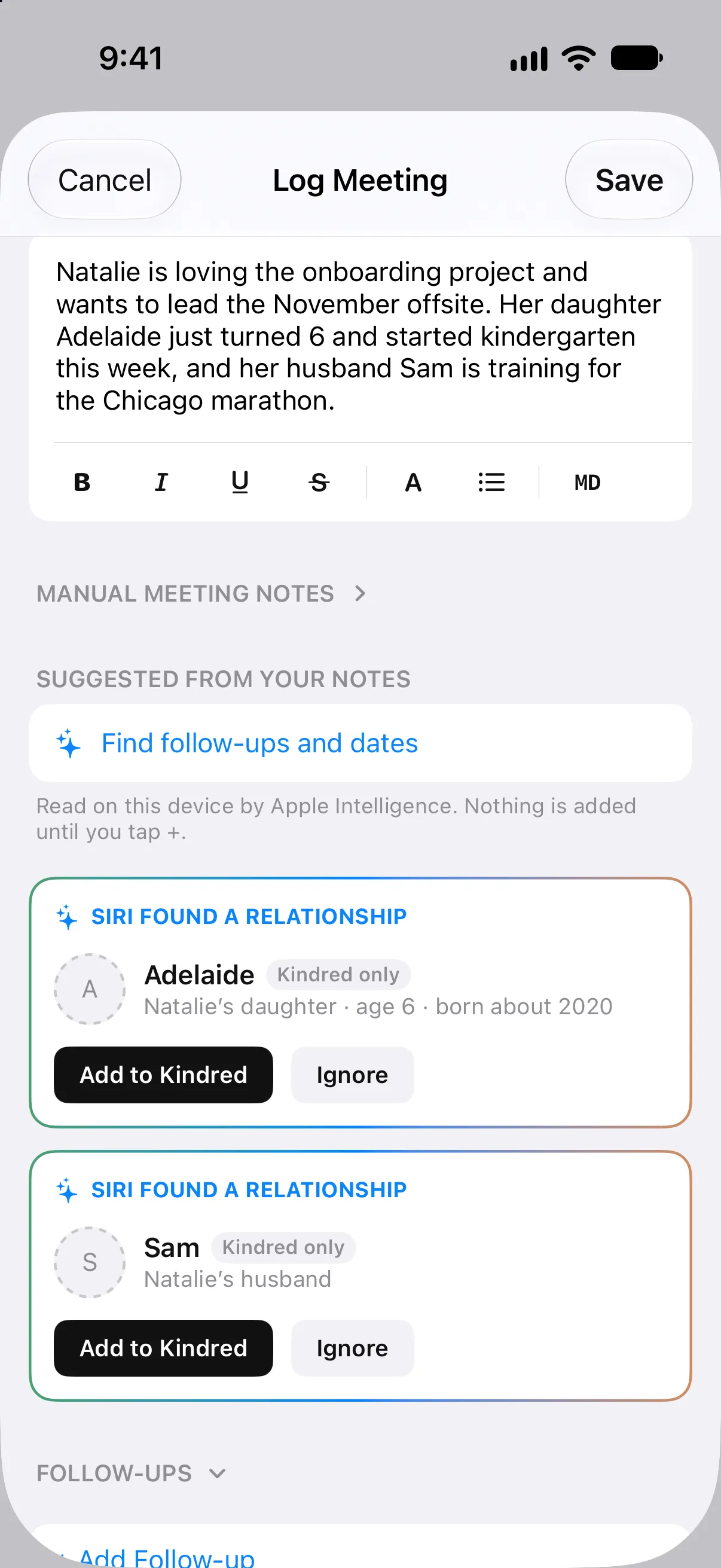
More than a name and a company.
Add them as you go
Add someone new right from your note, with their work, how you know them, and who introduced you. They can go in your Apple Contacts too.Coming in 1.2
Their profile, on their page
Share their LinkedIn or another profile to Kindred from the app you found it in, and it's kept with them.
Who introduced you
Note who made the introduction, and how the people you know are connected to each other.
The people they mention
Write that their son just started college, and Kindred offers to add him, connected to them.
One entry for the whole table
A dinner or a panel with several people is one entry for everyone who was there. Tap Add someone to include them.
Where you met
Notes can remember where they were written, and a new note suggests the people you've met at that spot.Coming in 1.2
Send what you said you’d send.
“I’ll send you that article” becomes a follow-up, kept in front of you until it’s done, in Apple Reminders too if you like. With Apple Intelligence, Kindred can draft the message from your notes, and nothing is sent until you send it.
Weeks later, Kindred may suggest someone you met as a person you’d enjoy hearing from, with something to talk about. And when you meet again, Today shows what you talked about last time.
Kindred for meetings and 1:1s →Questions about networking
How do I remember the people I meet at networking events?
Make a note while it's fresh: what you talked about, who introduced you, and anything you promised. In Kindred, say a Quick Note on your iPhone or Apple Watch, file it with the person later, and Kindred brings it back before you meet again.
Can I save someone's LinkedIn profile in Kindred?
Yes. Share the profile to Kindred from the LinkedIn app or your browser, and it's kept on that person's page. Kindred doesn't sign in to LinkedIn or read anything from it.
Does Kindred scan business cards?
No. Add the person to your contacts as you usually would, then add them to Kindred, where your notes about them live. Or turn on Add new contacts automatically, and anyone you add to your iCloud contacts joins Kindred too, so you only add them once. (Coming in Kindred 1.2.)
Can I take notes on Apple Watch?
Yes. Say a quick note on your wrist. It's transcribed on your device, keeps the time you said it, and waits in your Inbox until you file it with someone.
Will it remind me to follow up?
Anything you promise becomes a follow-up you can see until it's done, and you can send it to Apple Reminders. Later, Kindred may suggest reaching out to someone you met, with a warm reason to.
How much does it cost?
It's free to download and free for 14 days. Then one purchase of $29.99 unlocks Kindred on your iPhone, iPad, Mac, and Apple Watch, with Family Sharing. No subscription.
Before the next event.
Put Kindred on your iPhone and Apple Watch, and the next person you meet won’t become a name you can’t place.