Walk into every meeting knowing what matters to them.
Kindred Contact is an app for iPhone, iPad, Mac, and Apple Watch that keeps your notes from every meeting with the person they’re about. Before you meet, it shows what you talked about last time. Afterwards, it keeps the promises you made in view.
Meetings come from the calendars already on your devices, work calendars included. Your notes stay in your own iCloud, never on our servers.
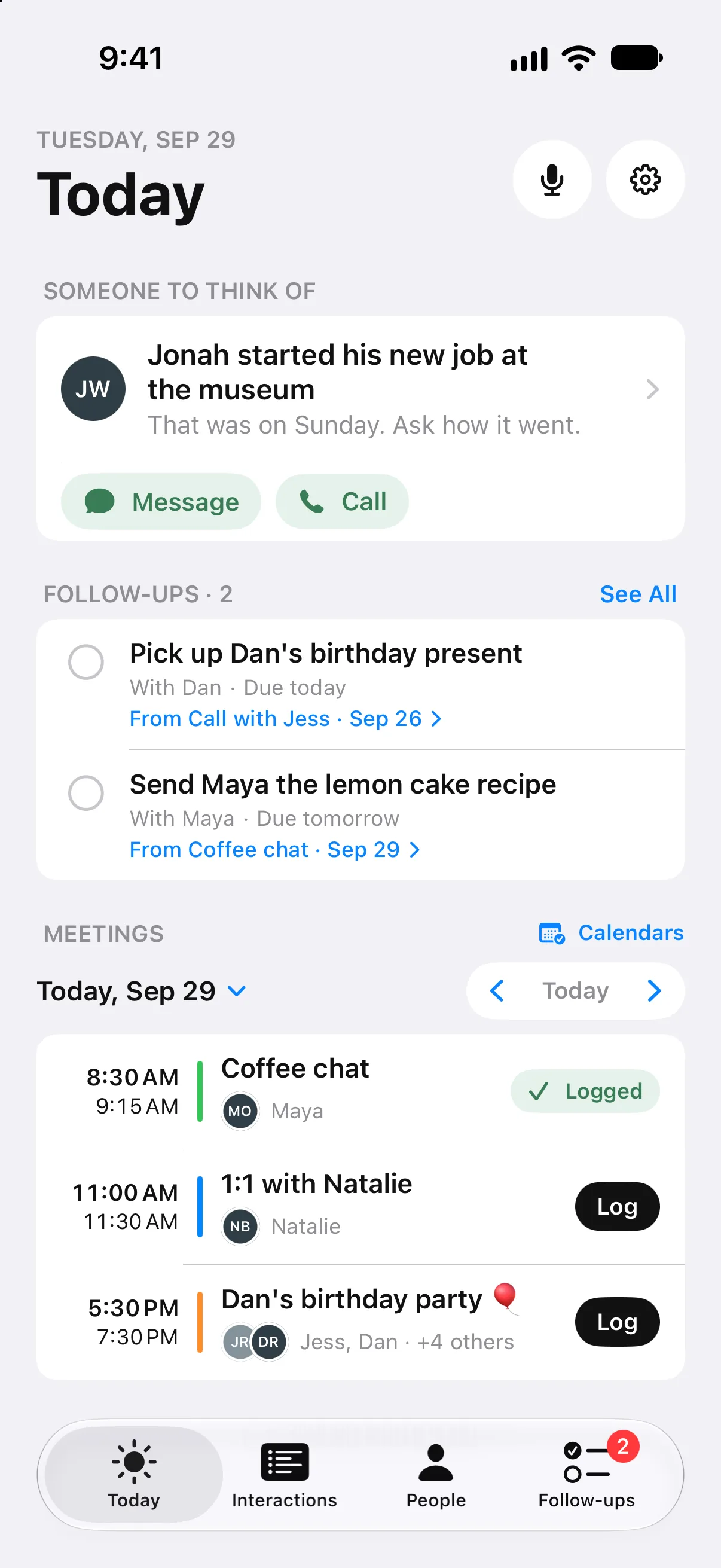
Before, during, and after every meeting.
Before
- Today shows who you're meeting and what you talked about last time.
- As a meeting starts, an alert shows who's there and what's worth bringing up, with Take Notes.
- Catch me up gives you a short brief before you meet, on devices with Apple Intelligence.
During
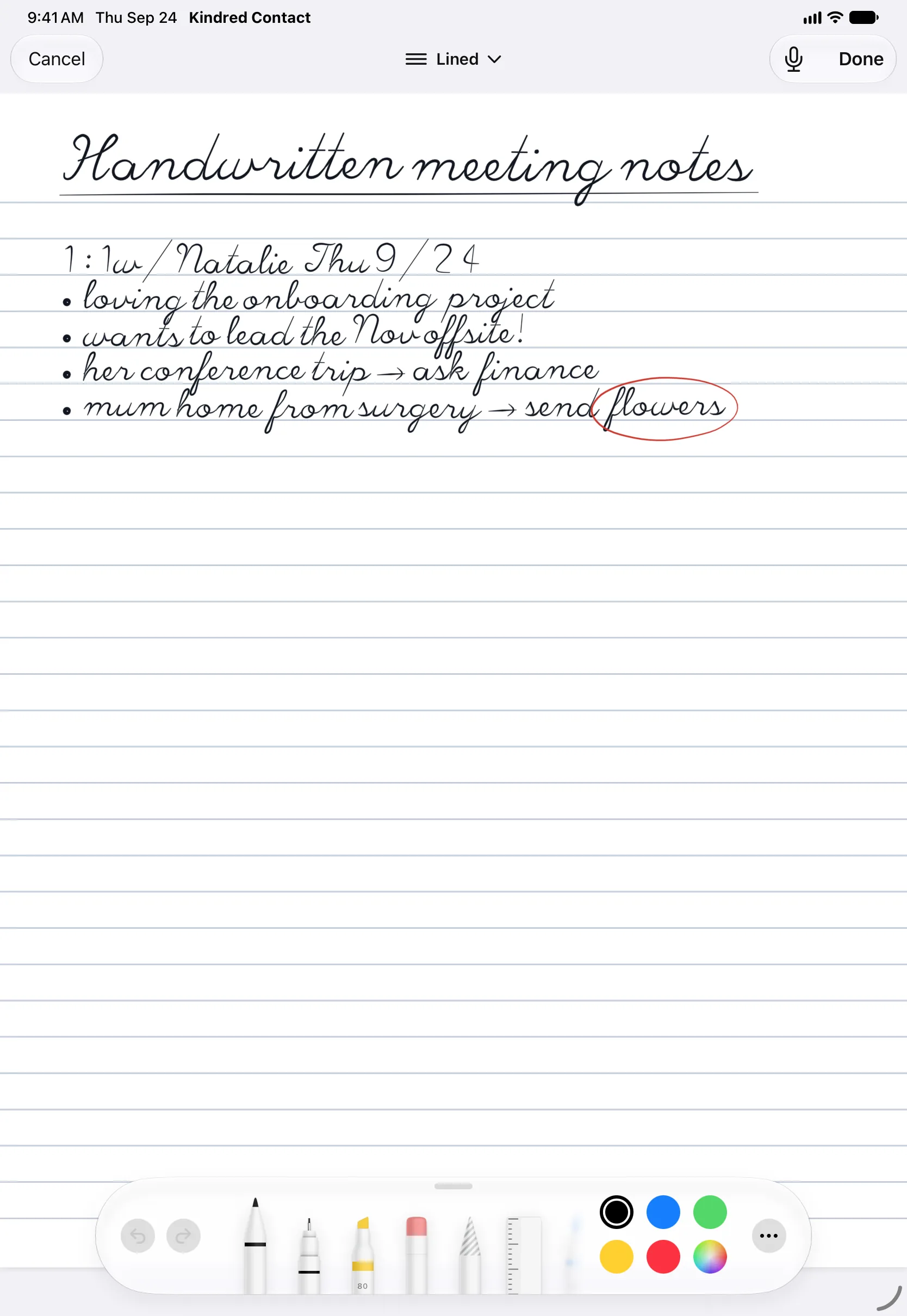
- Type your notes, handwrite them with Apple Pencil on iPad, or say a quick spoken note.
- Kindred reads your handwriting into text you can search and correct.
- On iPad, the person you're meeting opens beside your notes. Drag the divider to the size you like.Coming in 1.2
- Start notes from Control Center, the Lock Screen, the Action button, or a squeeze of Apple Pencil Pro.Coming in 1.2
- Record an in-person meeting on Apple Watch, then tap the recording for a transcript made on your device.
After
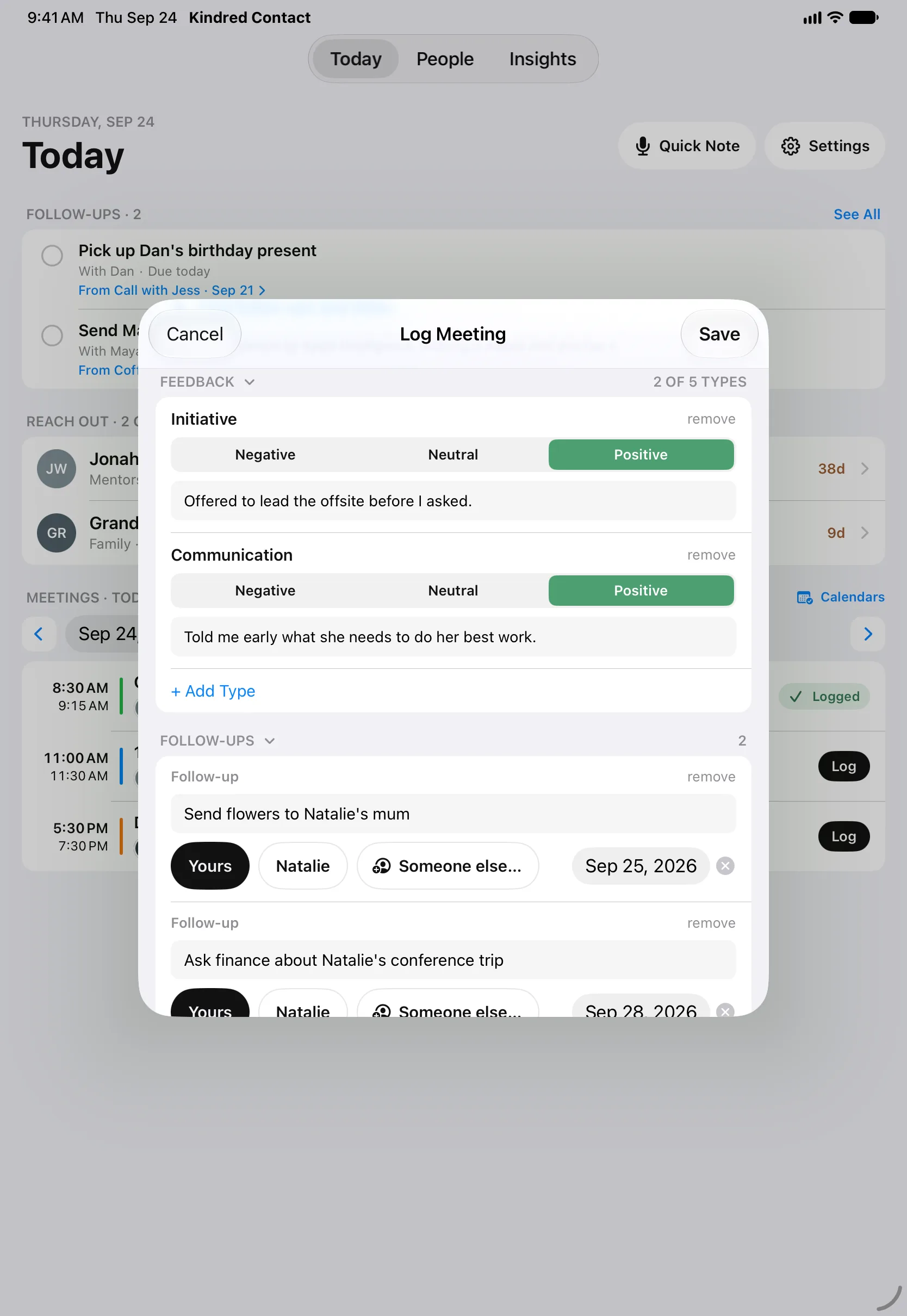
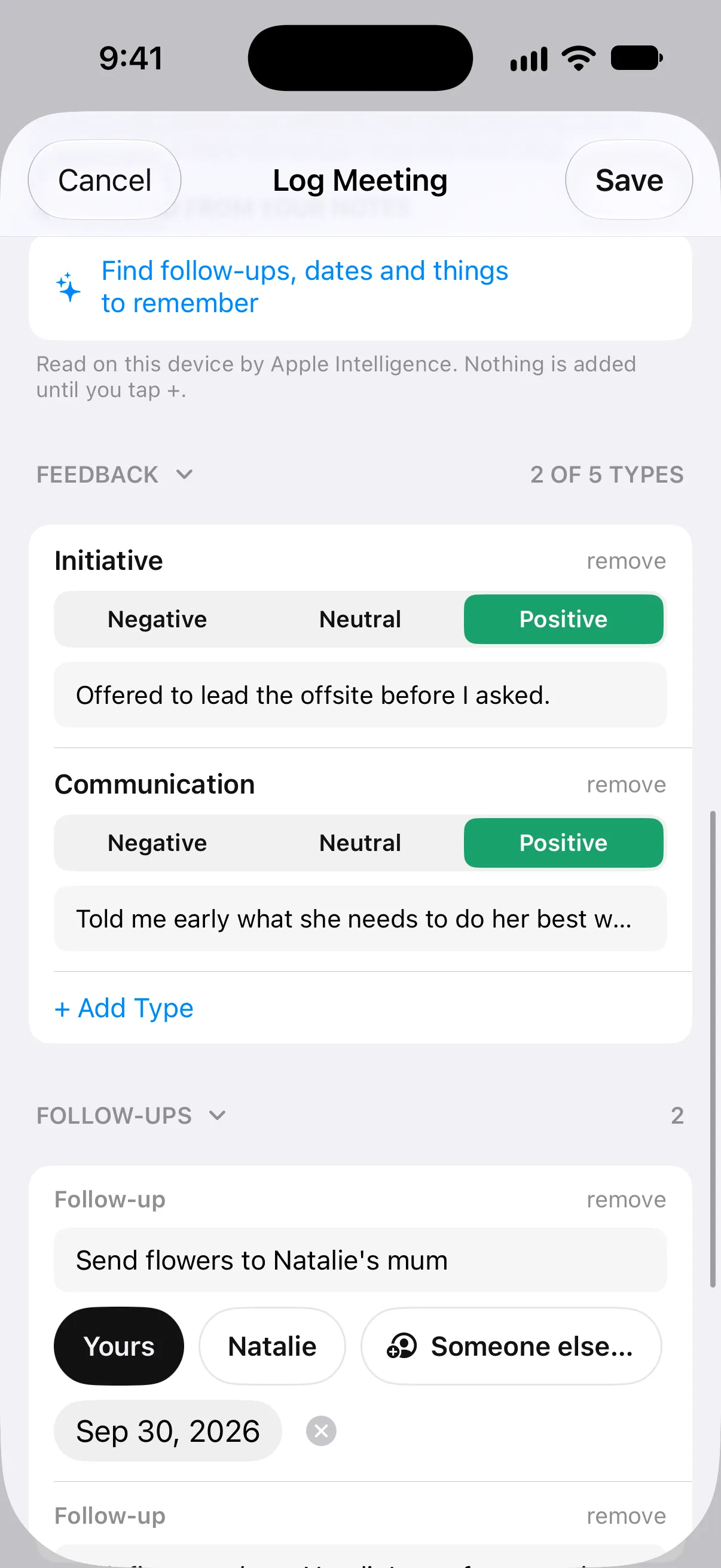
- Write up a calendar meeting once for everyone who was there: what was said, and what was promised.
- A new note suggests who you were with, starting with the meeting you just had.Coming in 1.2
- Follow-ups keep each promise in front of you until it's done, in Apple Reminders too if you like.
- Set a follow-up for your next meeting with them.Coming in 1.2
- The people they mention, like a new baby or a new boss, can be added with a tap.
Pick up right where you left off.
Whether it’s your manager, a mentor, a client, or someone on your team, each person’s page keeps every conversation in order, with the follow-ups still open. Walk into the next 1:1, or your review, with the last few conversations in front of you.
After a conversation, note how it went on what you value, like communication, follow-through, and reliability, or on feedback types of your own. Each person’s page shows the trend month by month.
On a Mac, a person’s page lays it all out in three columns: who they are, one timeline of everything you’ve shared with Catch me up above it, and what’s coming up. Schedule your next meeting right from their page.Coming in 1.2
Your work calendar, and your notes kept to yourself.
Kindred reads the calendars and contacts already on your iPhone, iPad, or Mac, including Exchange, Outlook, and Google accounts you’ve added there. The people in each meeting are matched for you, and Kindred never changes their contact card unless you edit it yourself.
Your notes are yours alone. Nothing is shared with your employer, or with us: Kindred has no account and no servers, and keeps everything in the private iCloud database of your own Apple Account.
Read the privacy policy →What Kindred doesn’t do.
No bot joins your calls.
Kindred doesn't sit in on video meetings or record phone calls. You decide what to write down.
No shared team workspace.
It's for your own relationships, not a system your company runs. There is nothing for anyone else to log in to.
No sales pipeline.
No deals, stages, or quotas. Kindred is about the person across the table.
Apple devices only.
iPhone, iPad, Mac, and Apple Watch, on the US App Store. There is no Android, Windows, or web version.
Questions about meetings
How do I remember what we talked about in our last 1:1?
Kindred keeps every conversation on the person's page, newest first, with the follow-ups still open. On the day you meet, Today shows who you're meeting and what you talked about last time, and with Apple Intelligence, Catch me up writes a short brief before you go in.
Can I handwrite meeting notes on iPad?
Yes. Write with Apple Pencil on a lined page during the meeting, and Kindred reads your handwriting into text you can search and correct. Your page is kept with the notes. Kindred also learns from your corrections, so a word you fix twice is read right from then on. (Coming in Kindred 1.2.)
Can I see someone's page while I take notes?
Yes, on iPad. Tap a name in a meeting and that person's page opens beside your notes. Drag the divider to give either side a third, half, or two thirds of the screen. (Coming in Kindred 1.2.)
Does it work with Outlook or Google Calendar meetings?
Yes, through your device. Add the work account in Settings › Apps › Calendar › Calendar Accounts on iPhone or iPad, or in System Settings › Internet Accounts on a Mac, and Kindred reads those meetings like any others, without changing them.
Does Kindred record or transcribe meetings?
Only when you start a recording on Apple Watch, for a meeting in person. Tap the recording afterwards for a transcript made on your device. Kindred doesn't join video calls or record phone calls. Ask before you record.
Can my employer see my notes?
No. Kindred has no account and no servers. Your notes live on your devices and in the private iCloud database of your own Apple Account, and nothing is shared with your employer or with us.
Do I need Apple Intelligence?
Only for the writing features: Catch me up, note summaries, and drafted messages. Everything else, including meetings, notes, handwriting, and follow-ups, works without it.
How much does it cost?
It's free to download and free for 14 days. Then one purchase of $29.99 unlocks Kindred on your iPhone, iPad, Mac, and Apple Watch, with Family Sharing. No subscription.
Start with your next meeting.
Pick the people you meet with most. Kindred brings back what matters before you see them again.