Remember what matters to your clients.
Kindred Contact is an app for iPhone, iPad, Mac, and Apple Watch that keeps what matters to each client with them: the people in their life, the dates they care about, every conversation you’ve had, and what you promised to do next.
It’s built on the contacts you already have, with no pipeline to keep up and no account to create. What you write stays in your own iCloud.
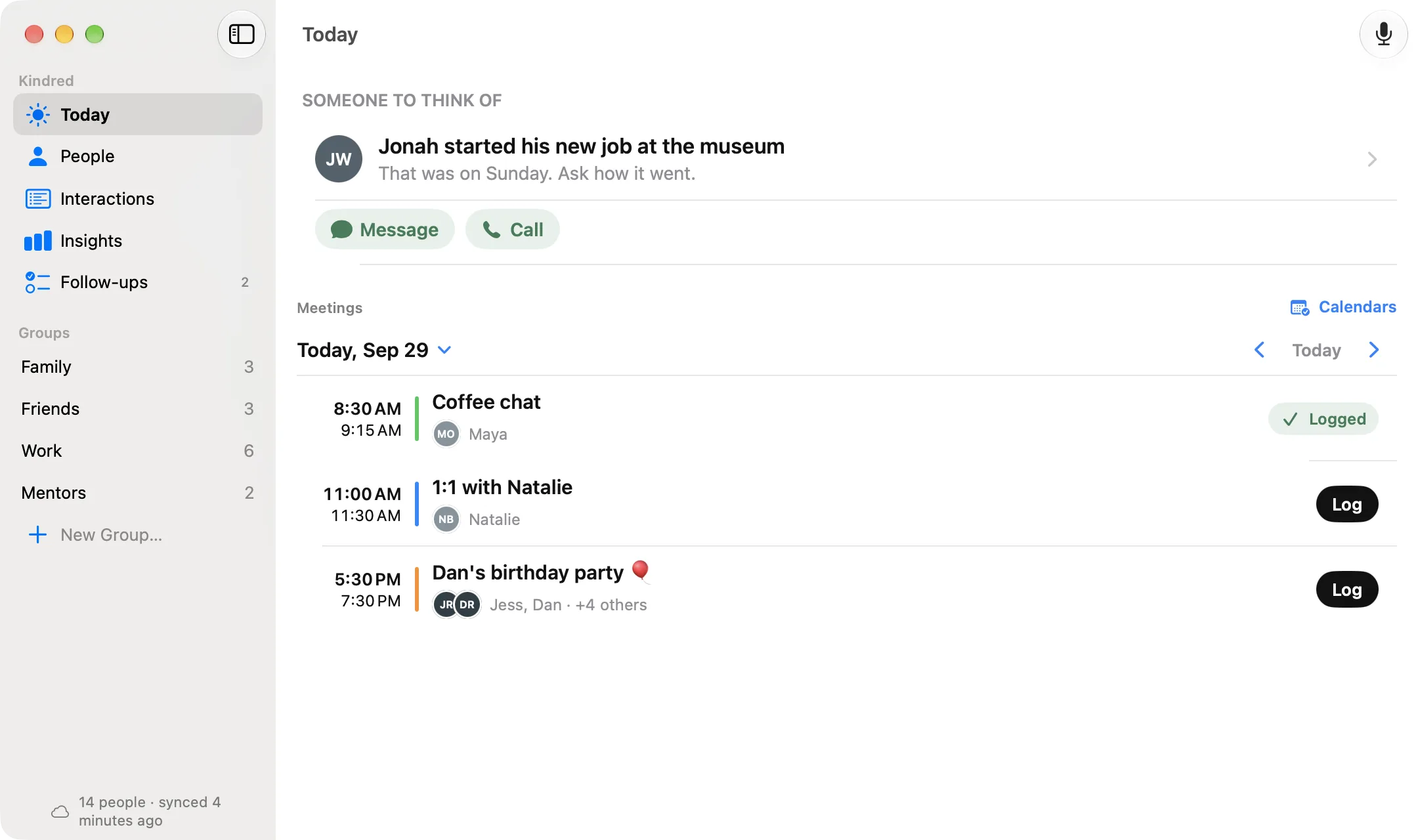
One page per person, and it fills itself in as you go.
Jot down a few lines after a call or a meeting, and Kindred files them with everyone who was there. Before you meet again, Today brings them back.
Every conversation, in order
Meetings, calls, and coffees, newest first, with the follow-ups still open.
The dates that matter
Birthdays and anniversaries from their contact card or your notes, with ages worked out for you.
Who introduced you
Note who made the introduction, and how your clients know each other.
How it's going
Rate a conversation on what you value, including Client Management, and see the trend over time.
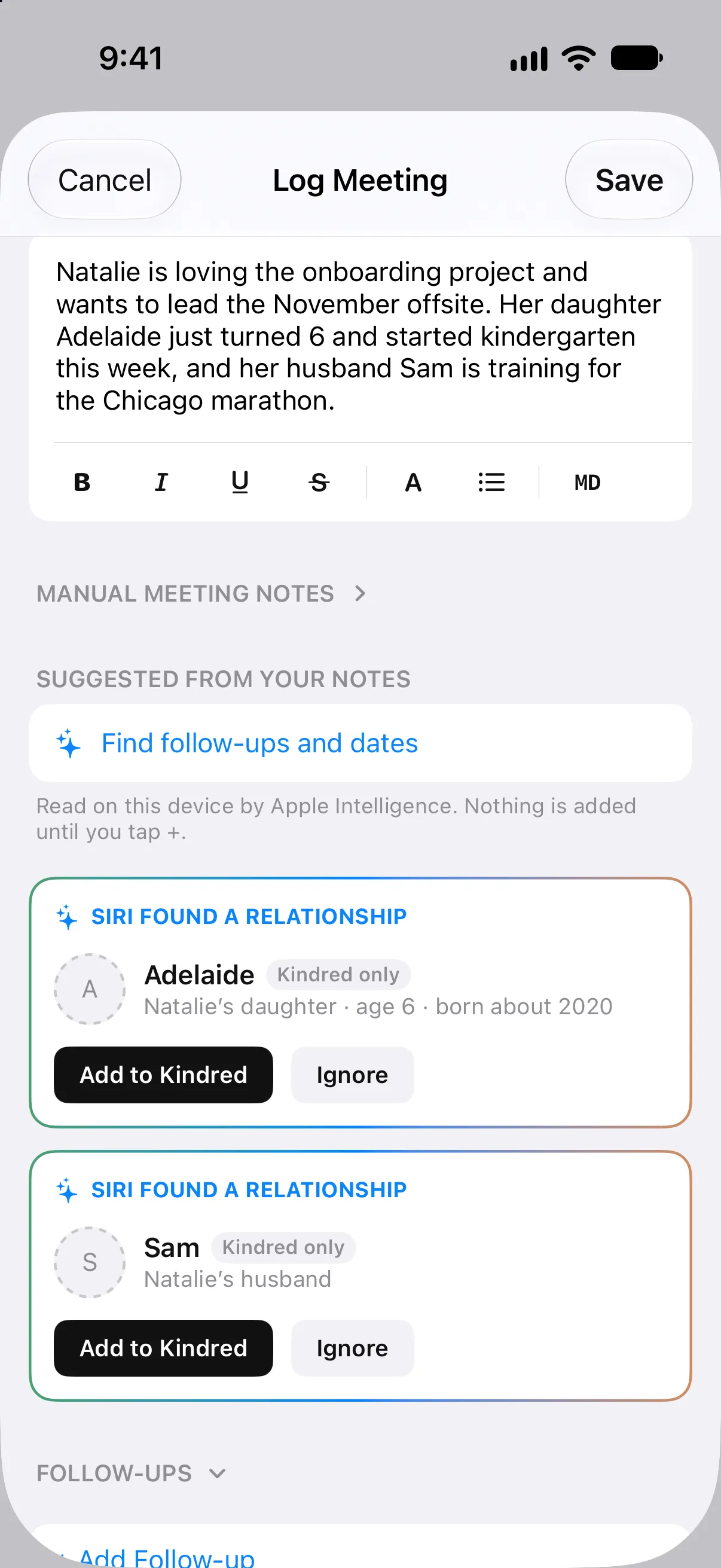
Ask about their daughter by name.
Write “her daughter Adelaide just turned 6” in your notes and Kindred offers to add Adelaide, connected to her parent, with her age. Next time you talk, it’s right there on the page.
Names are found by Apple Intelligence on your device, and nothing is added until you tap Add. They stay in Kindred, out of your address book.
Write “his wife, Jen” and Kindred finds the Jen you already have. The spouse and children on a client’s contact card are offered as connections too, one at a time.Coming in 1.2
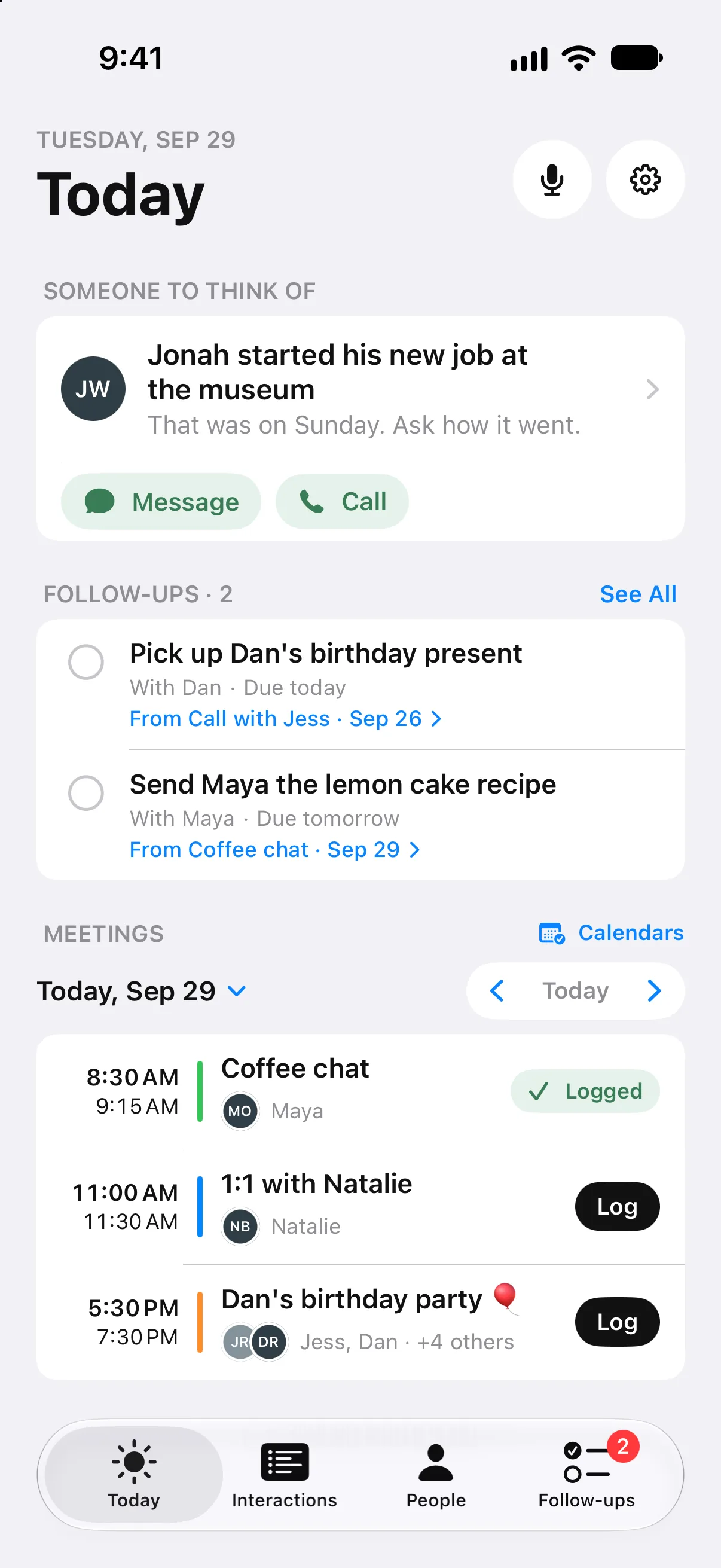
A warm reason to reach out, one person at a time.
Now and then, Kindred suggests a client you’d enjoy hearing from, with something to talk about, like a new job or a birthday coming up. Call or message right from the suggestion.
- Choose how often to be in touch with each person, or leave it as needed, and get a friendly morning reminder at a time you pick.
- With Apple Intelligence, draft a text or email from your notes or a few words. Nothing is sent until you send it.
- Groups keep clients, colleagues, and mentors apart, with when you last talked.
- In Messages, tap + in a conversation and choose Kindred to see what you know about them, catch up before you reply, or tap a topic for a few words to start. Drafts pick up the way you write as you edit them.Coming in 1.2
- On a Mac, the free Kindred for Messages keeps a short summary of what’s new with each client you text, on their page on every device. Your messages stay on your Mac.Coming in 1.2
For the relationship, not the pipeline.
Many people looking for a “personal CRM” want something simpler: a way to remember what matters to each client and keep the promises they make. That’s Kindred. If your firm needs deals and forecasts in a shared system, keep that system; Kindred works alongside it, for your own notes.
| Topic | Kindred | A sales CRM |
|---|---|---|
| Built around | The person: their people, dates, and your conversations | Deals, stages, and a sales pipeline |
| Getting started | Your Apple contacts and calendars, already there | Importing and entering records |
| Who sees it | Only you, in your own iCloud | Your company and its admins |
| Price | $29.99 once | Usually a monthly fee per seat |
| Works on | iPhone, iPad, Mac, and Apple Watch | Usually web first, on any device |
What you know about a client stays with you.
Kindred has no account and no servers. Your notes live on your devices and in the private iCloud database of your own Apple Account, and nothing is shared with your employer or with us.
It reads the contacts already on your devices, including Exchange and Google accounts you’ve added, and never changes a card unless you edit that person yourself. Add a Face ID or Touch ID lock if you like, and export everything whenever you want.
Read the privacy policy →Questions about clients
Is Kindred a personal CRM?
It does what most people want from a personal CRM: it remembers what matters to each client, keeps every conversation and follow-up on their page, and brings it back before you meet. It has no deals, pipelines, or data entry, and it's built on the Apple contacts you already have.
How do I remember personal details about my clients?
Write a few lines after each conversation. Kindred keeps them on the client's page, offers to add the people they mention, like a partner or a child, and keeps their birthdays and anniversaries with ages worked out. Before your next meeting, Today shows what you talked about last time.
Can I use Kindred alongside my company's CRM?
Yes. Kindred doesn't connect to other CRMs; it's for your own notes about the relationship. Keep whatever your firm requires in its own system.
Will it remind me to stay in touch with clients?
Yes, gently. Choose how often to be in touch with each person, or leave it as needed, and get a friendly morning reminder at a time you pick. Kindred also suggests someone you'd enjoy hearing from, with something to talk about.
Does Kindred read my text messages?
Not on iPhone: iOS doesn't let apps read Messages. In a conversation you can tap + and choose Kindred to see what you know about them, and nothing is sent until you send it. On a Mac, the free Kindred for Messages reads Messages on that Mac, if you install it, and keeps a short summary of the last 30 days with each person in Kindred you text. Your messages stay on your Mac. (Coming in Kindred 1.2.)
Does Kindred read my email?
Only on a Mac, and only if you ask. Check Mail looks at the sender, recipients, subject, and date of your last 30 days of mail in Apple Mail, never the message itself, and adds the ones with your people after you review them.
Is client information safe in Kindred?
Kindred has no servers, so there is no copy of your notes anywhere but your devices and your own private iCloud database. Nothing is shared with your employer or with us. You can add a Face ID or Touch ID lock and export everything at any time.
How much does it cost?
It's free to download and free for 14 days. Then one purchase of $29.99 unlocks Kindred on your iPhone, iPad, Mac, and Apple Watch, with Family Sharing. No subscription.
Start with five clients.
Pick the few who matter most to your work. Kindred brings back what matters before you see them again.