Make your people feel important. Sincerely.
Remember what matters to your network. Kindred brings it back before you meet and helps you follow through after. Over the years, your influence grows with every relationship you keep.
Built on your contacts and kept in your own iCloud. No accounts, and nothing on our servers.
Free for 14 days, then $29.99 once. No subscription.
On the US App Store for iPhone, iPad, Mac, and Apple Watch.
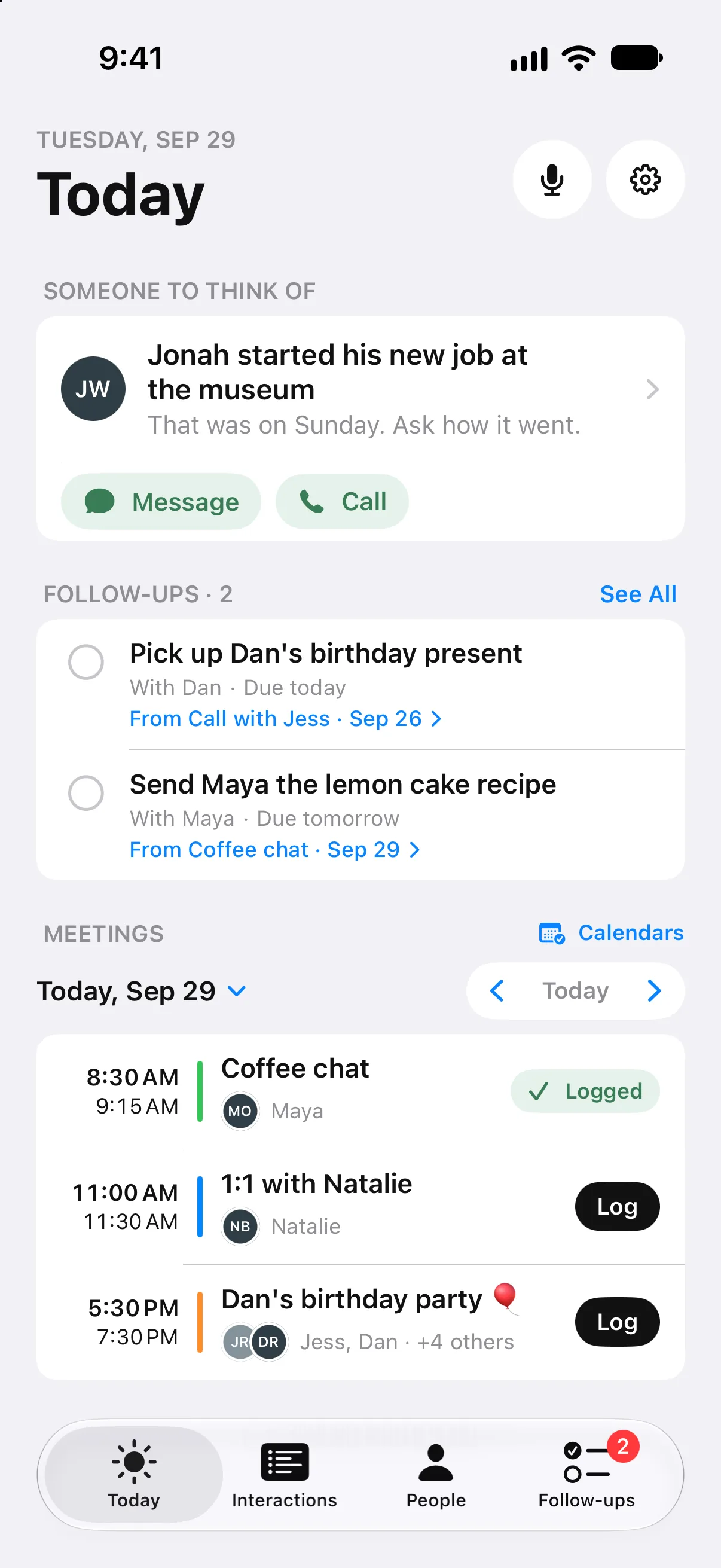
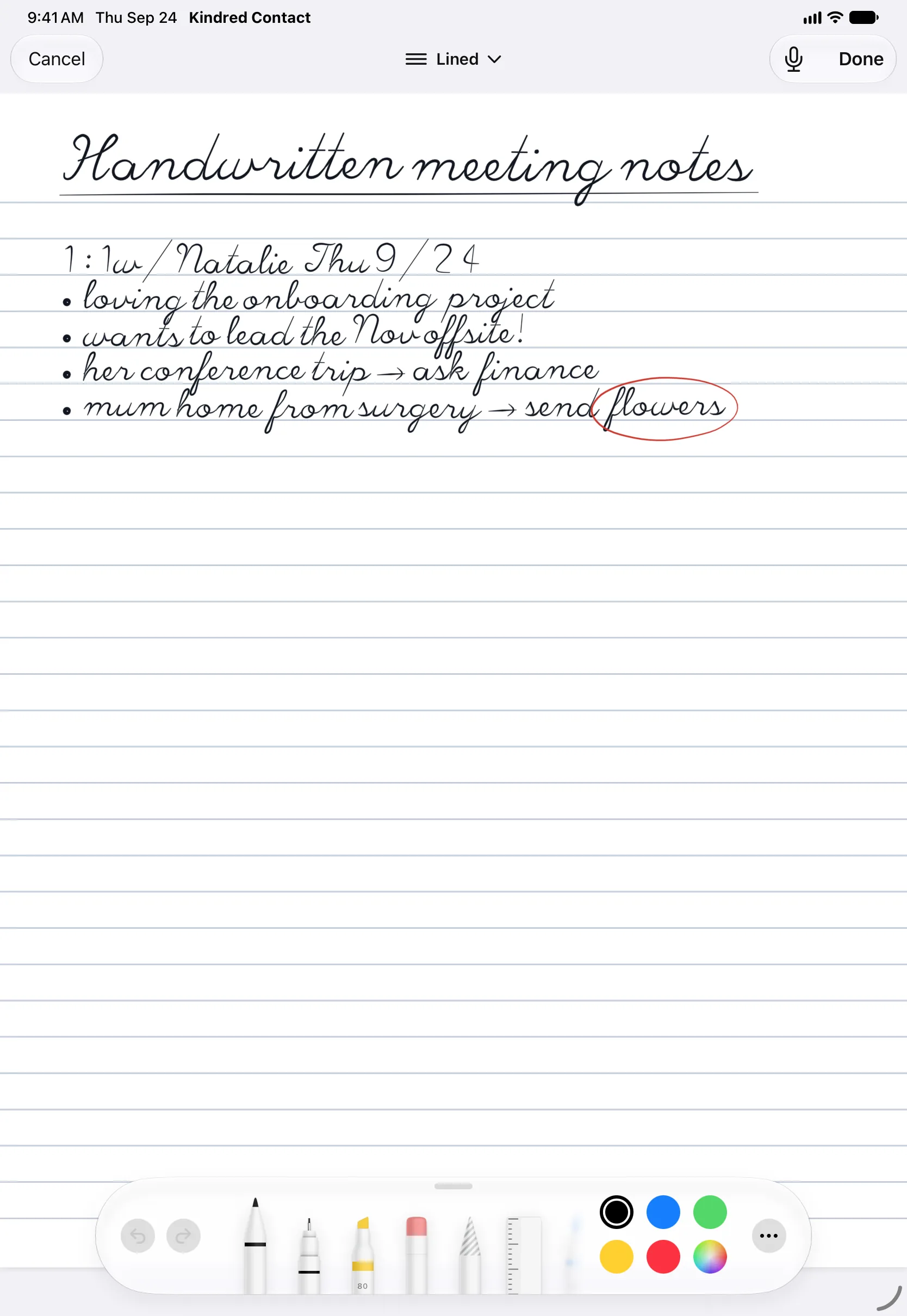
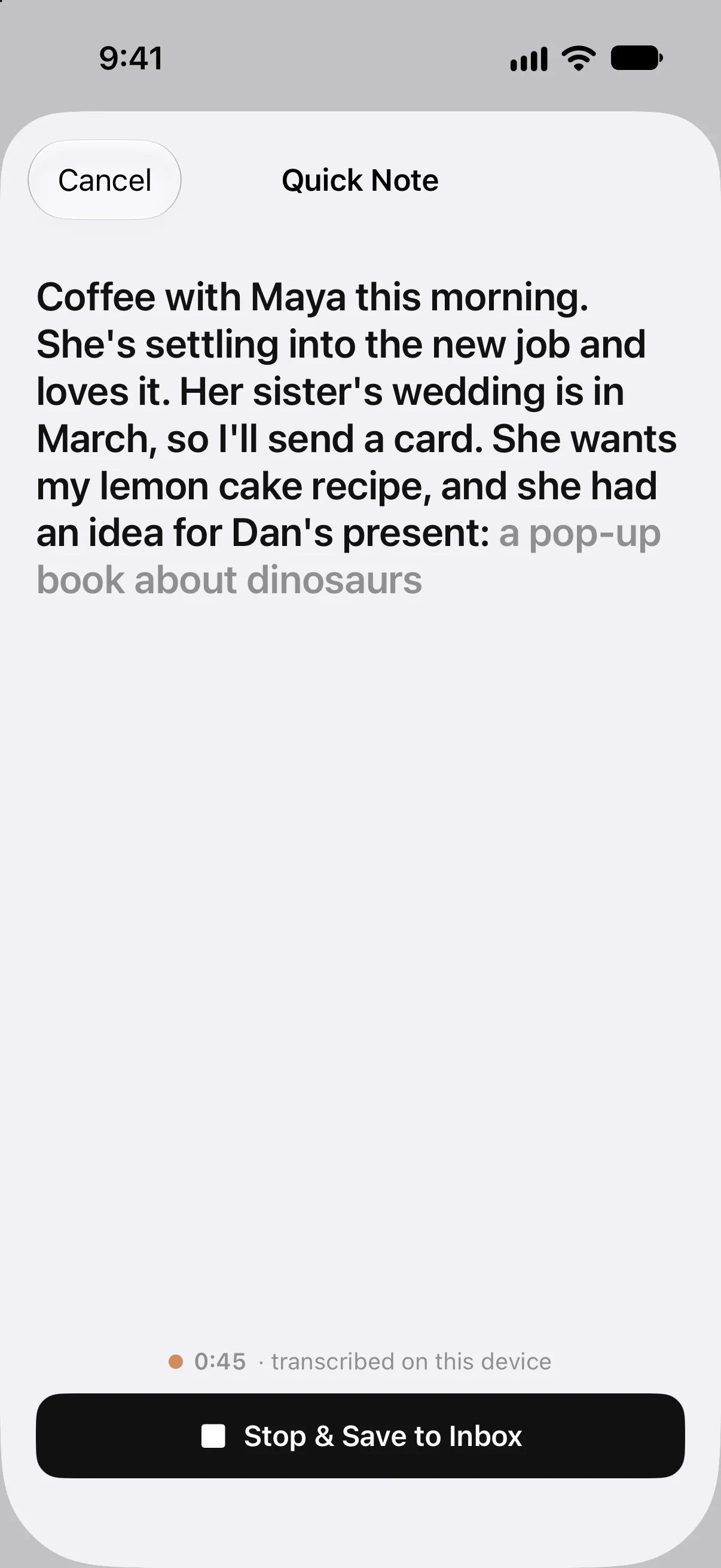
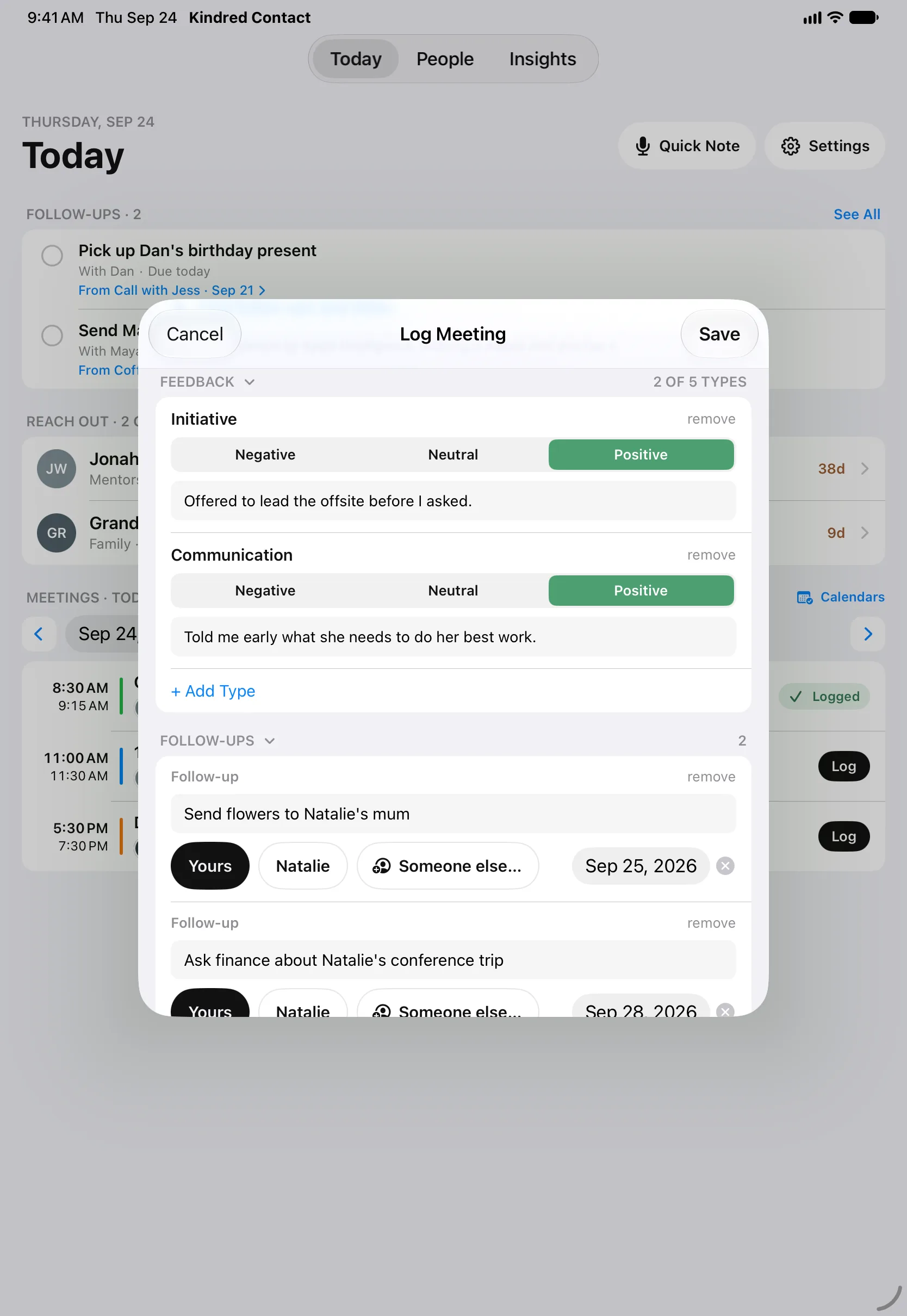
Ready the moment it starts.
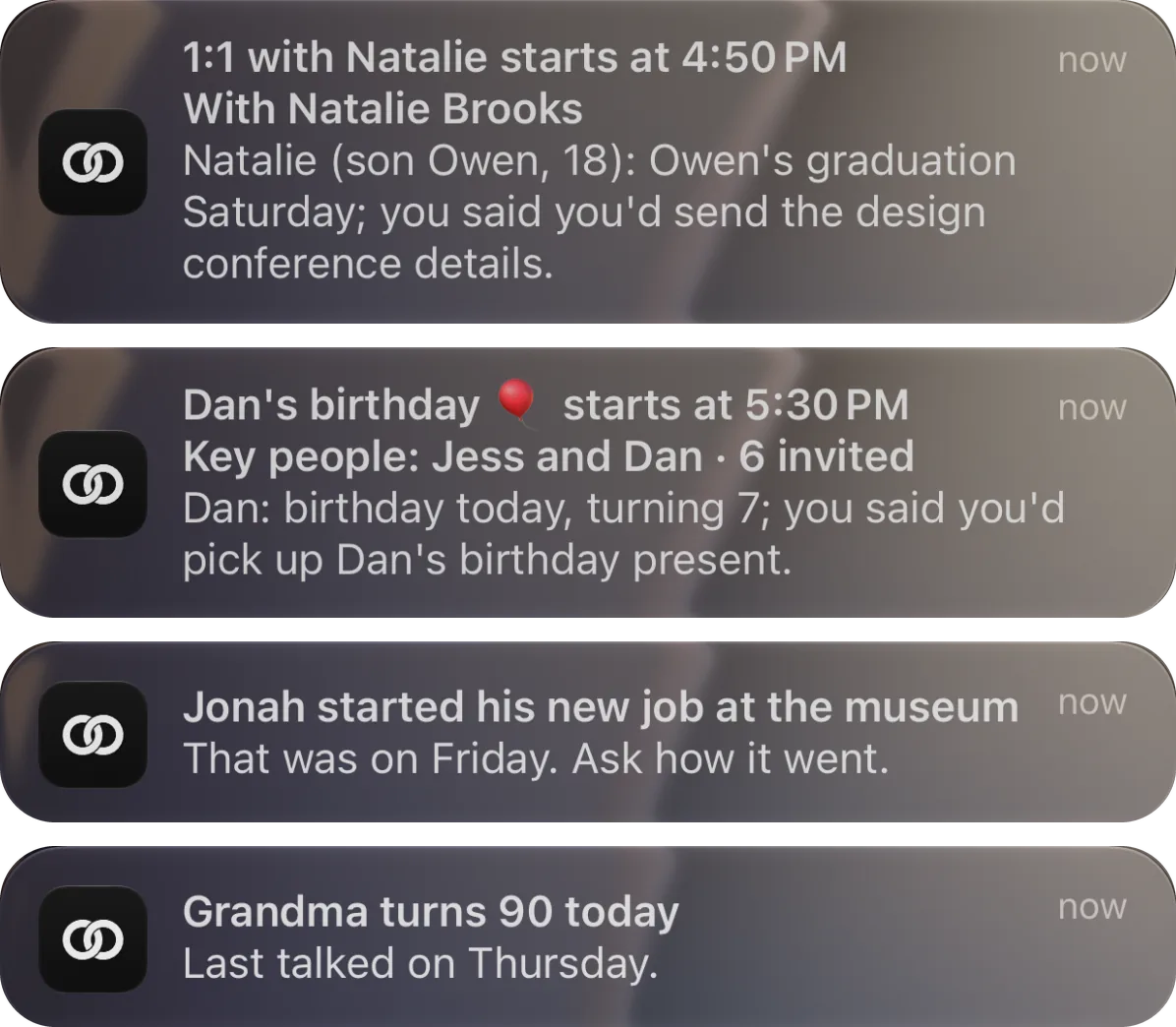
As a meeting starts, Kindred Contact tells you who’s there and what’s worth bringing up: their news, the dates coming up for them and their family, and what you said you’d do. Take Notes opens the meeting right from the alert.
Each morning, one person and a warm reason to reach out. And their birthdays and anniversaries, on the day or the day before, so you can say something.
Three steps, then Kindred remembers for you.
Pick your people
Choose the people who matter most to your work and life. Kindred suggests a few from your contacts and calendar to get you started.
Add notes over time
After a call, a coffee, or a meeting, jot down what you talked about. On-device AI turns it into reminders and connections.
Be reminded what matters
Before your next meeting, Kindred brings back what you talked about, so you pick up right where you left off.
Everything a relationship needs. Nothing a CRM drags in.
Kindred is for the people behind your work, not a sales pipeline: clients, colleagues, mentors, and the friends you’ve made along the way. It’s a native Apple app, so it feels at home on your devices.
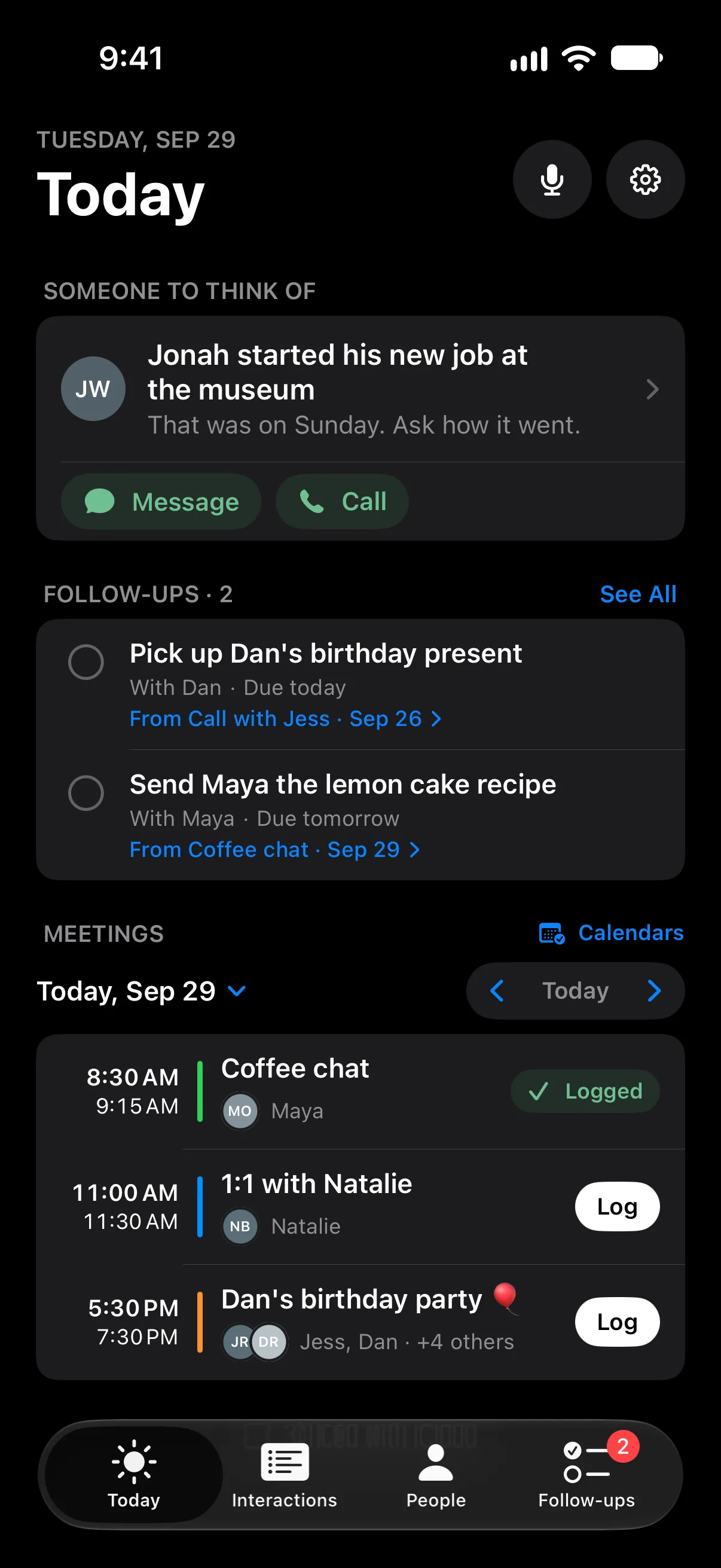
Ready for every meeting
See who you're meeting today and what you talked about last time.
Meetings and 1:1s →Someone to think of
Each morning, one person and a warm reason to reach out. Call or message right from the reminder.
Share from any app
Share a message from WhatsApp, iMessage, or Signal, or a photo or link, and it's saved with that person.
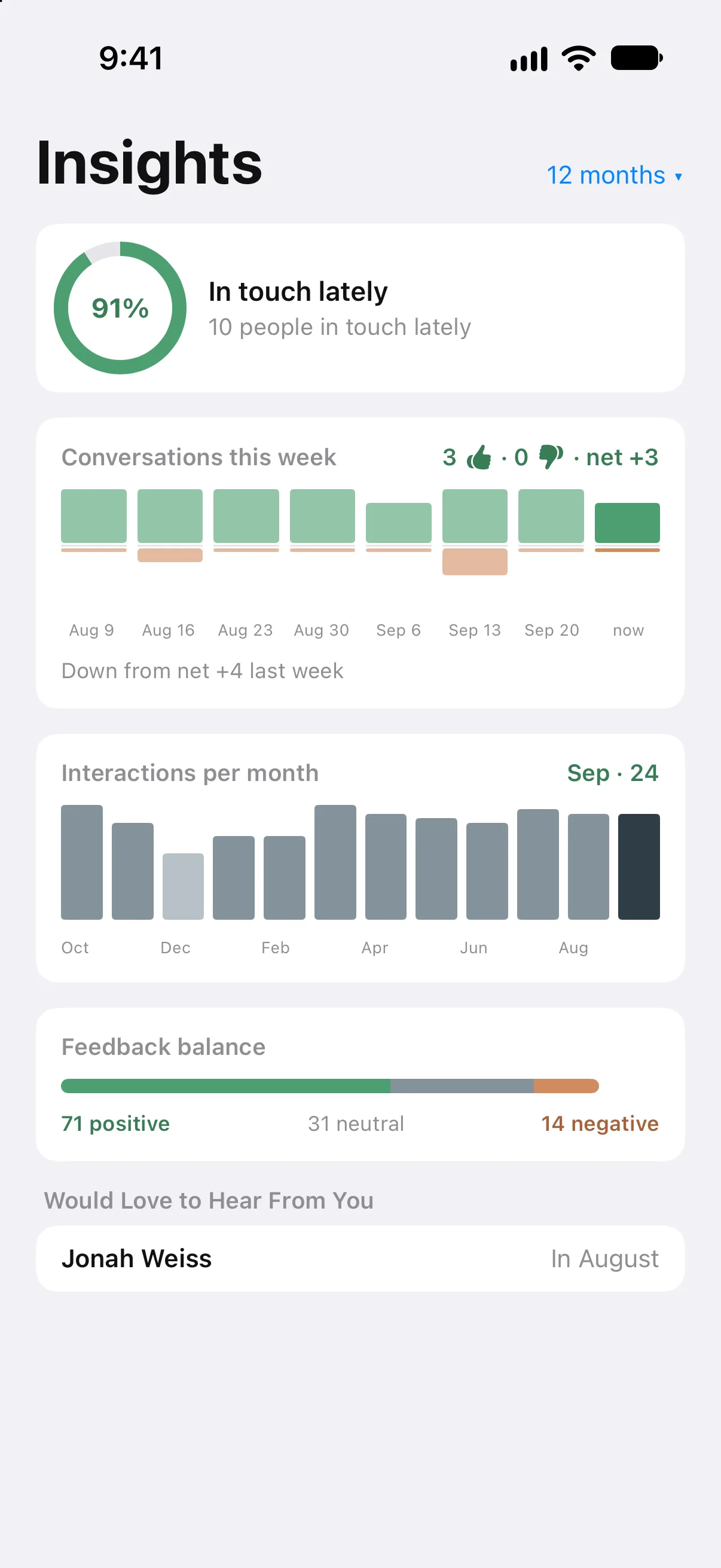
See how it's going
Who you've been in touch with lately, and how each relationship is growing.
Also: birthdays and dates, groups, an optional Face ID lock, and export. See everything included →
Your relationships grow with your network.
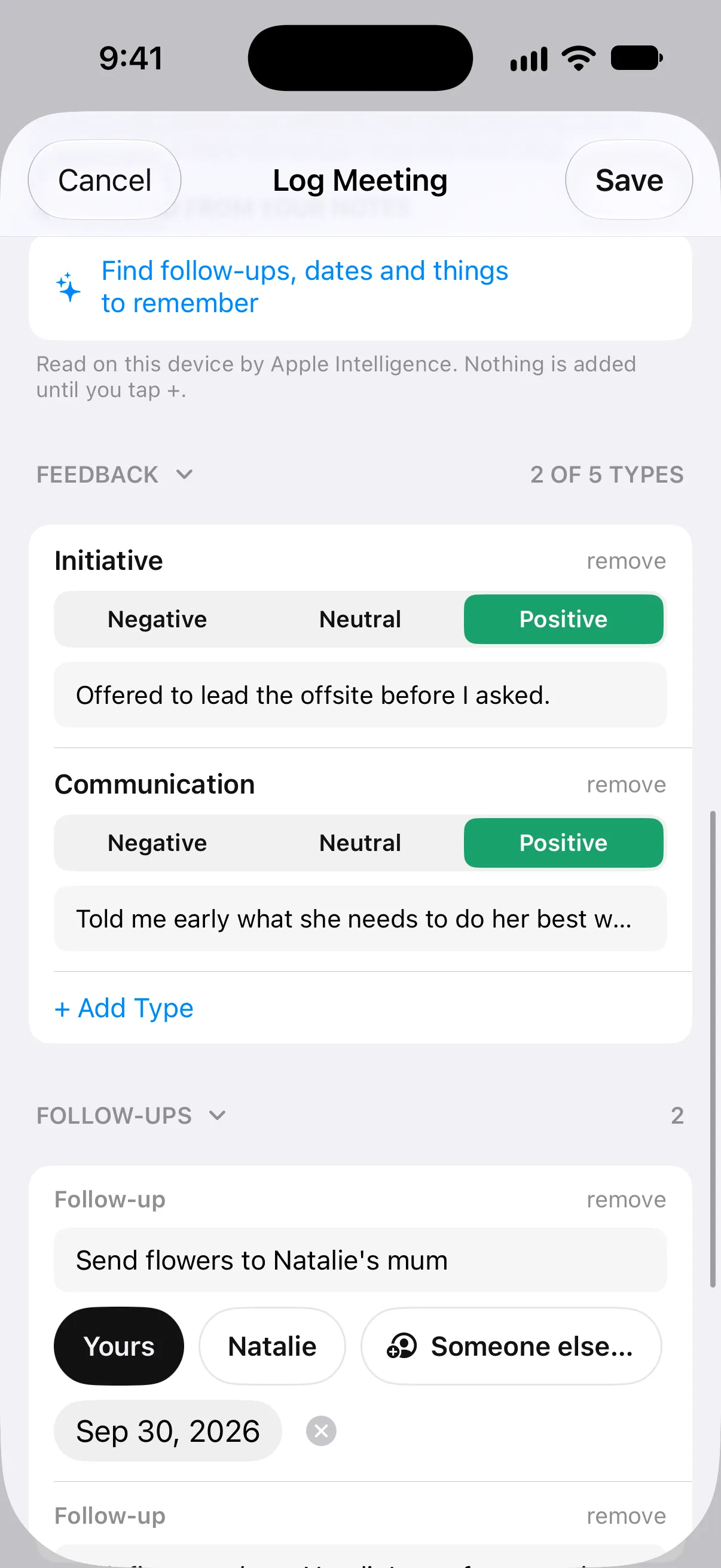
You’ll build your professional network over a whole career. Kindred helps you remember the qualities and accomplishments of the people in it. After a conversation, note how it went on what you value, like communication and follow-through, and see it grow over time with your manager, a mentor, a client, or a direct report.
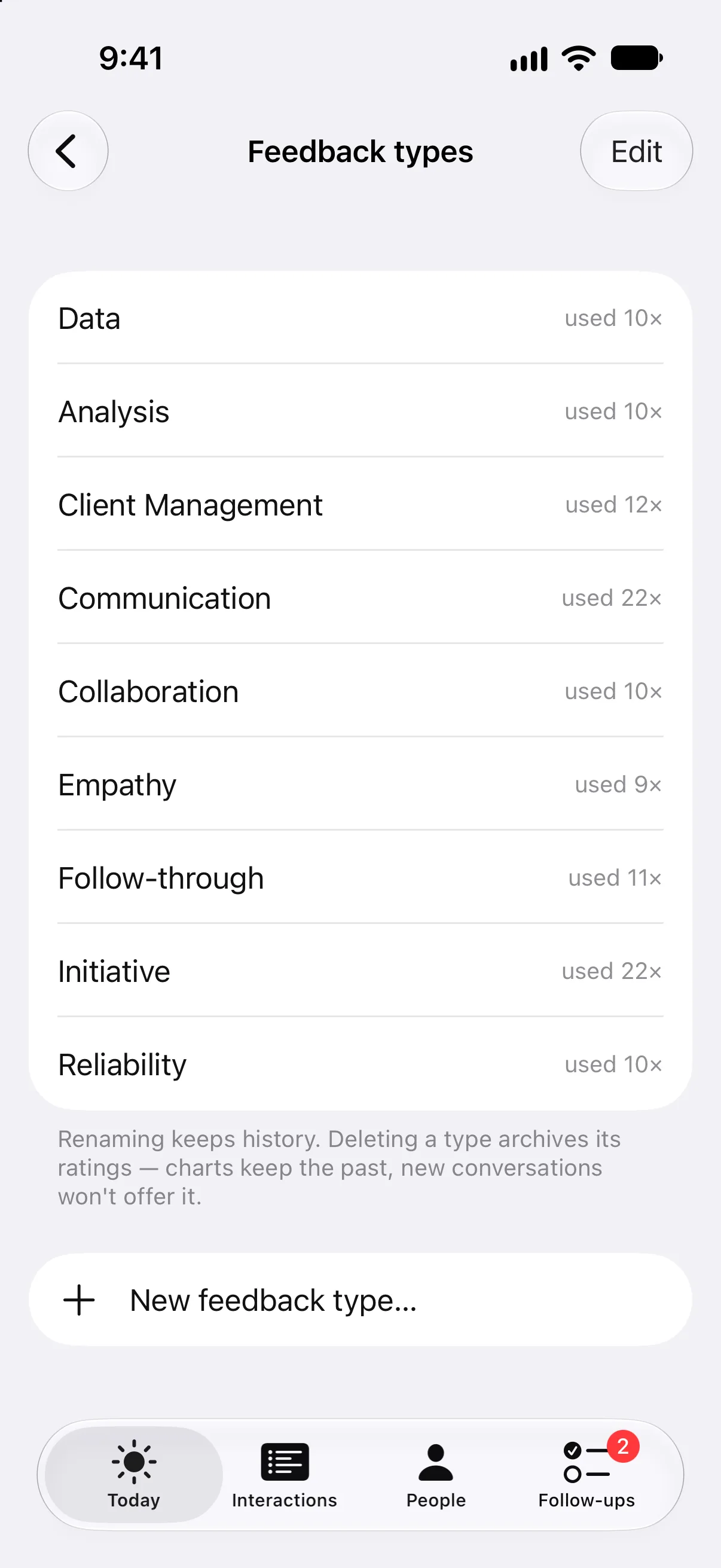
- Your own feedback types. Start with Communication, Collaboration, Empathy, Follow-through, Initiative, and Reliability, plus a few for work like Client Management. Rename them or add your own.
- Rate up to five per conversation. Negative, neutral, or positive, with an optional line of commentary.
- Trends over 13 months. Each person's page charts every type month by month and labels it rising, steady, or slipping.
Remember their family, not just their name.
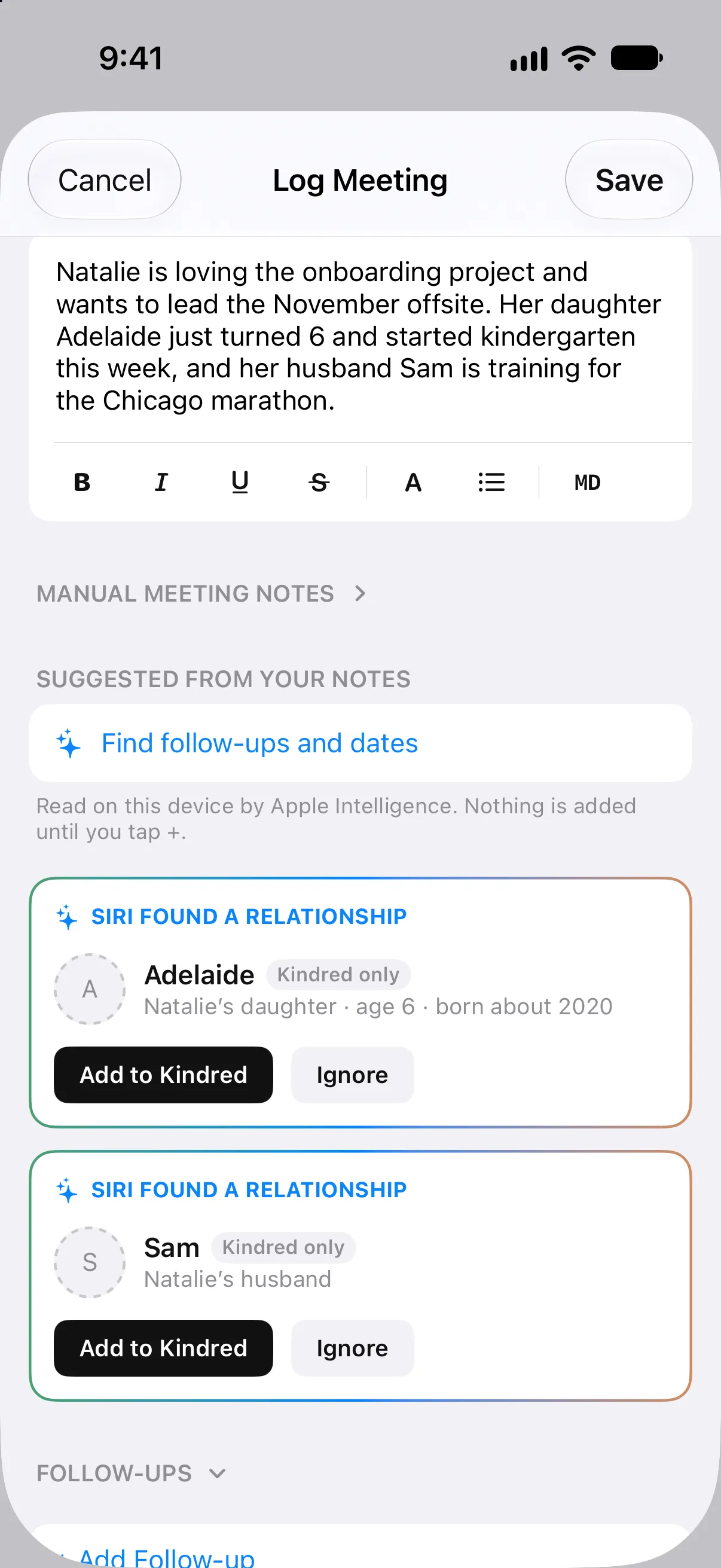
Write “her daughter Adelaide just turned 6” in your notes and Kindred offers to add Adelaide, connected to Natalie, with her age. Next time, you can ask how kindergarten is going.
- Partners, children, parents, friends. “Her husband Sam”, “Lisa’s son Max”, “his boss Priya”. In a group meeting, Kindred asks whose they are.
- Ages that keep up. An age becomes a birth year, so it’s still right next year.
- Read on your device, added only by you. Nothing is saved until you tap Add, and they stay in Kindred, out of your address book.
On your wrist, your Home Screen, and your Mac.
Everything syncs through your iCloud, so the people who would love to hear from you are the same on your wrist as in your menu bar.
Kindred for Mac
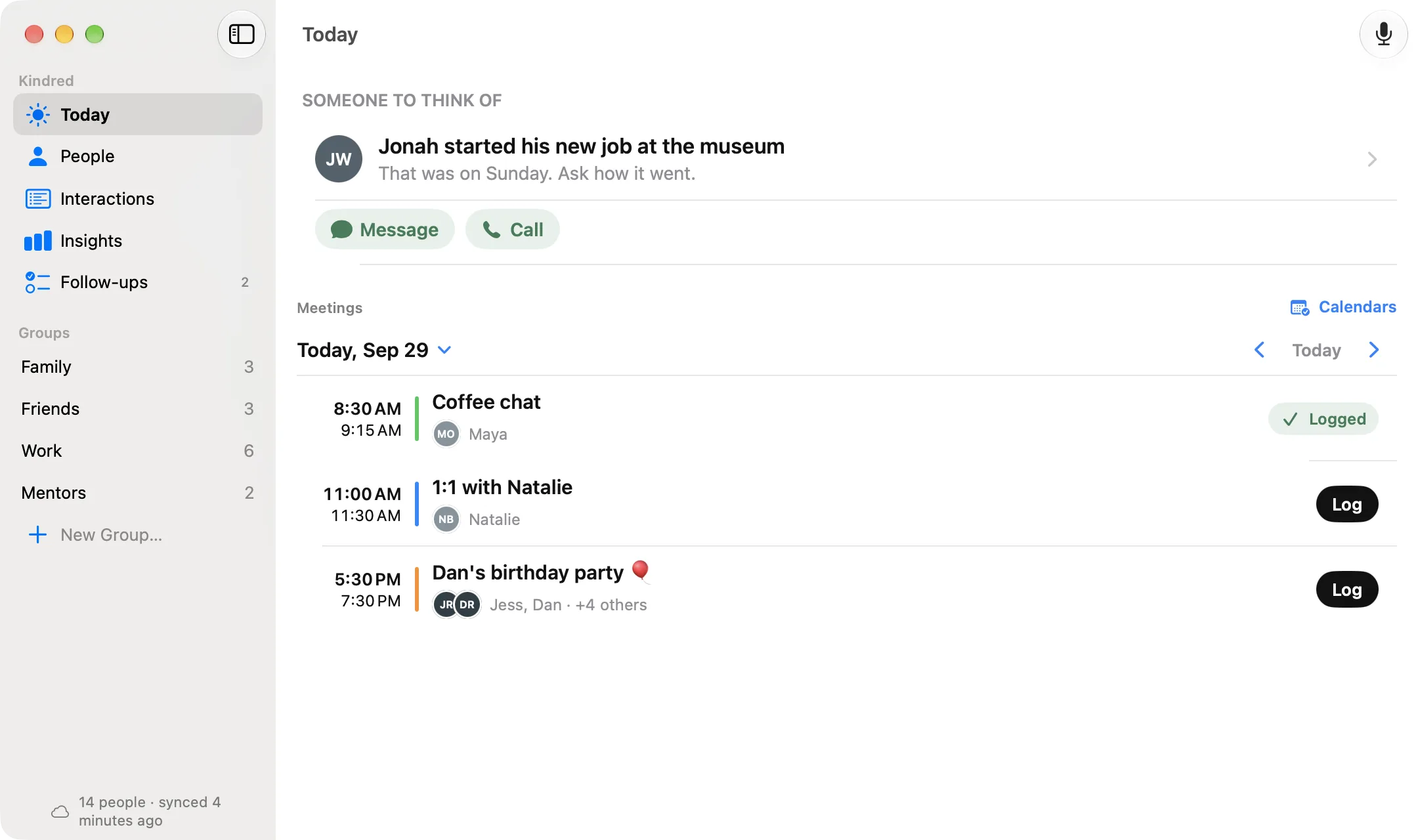
A native window with sidebar, table view, and a menu bar extra showing who would love to hear from you. Jot down a conversation from anywhere with ⌥⌘K.
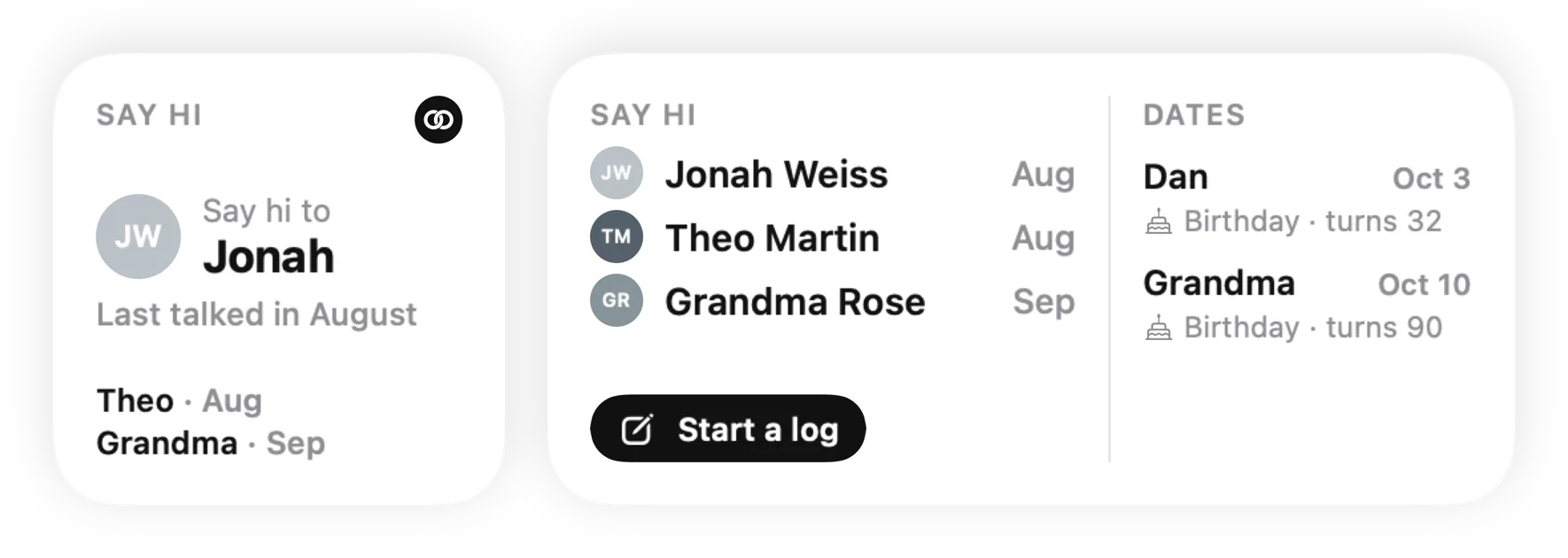
Widgets and Lock Screen
Someone to say hi to, upcoming dates, and pinned people with one-tap call, text, and email.
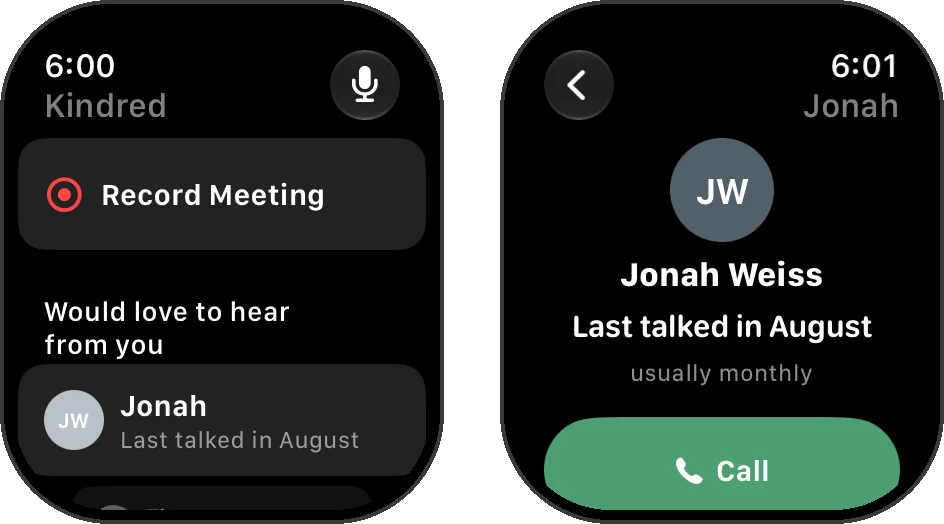
Apple Watch
See who would love to hear from you and call from your wrist, record a meeting while you take notes, or say a quick note. Complications show someone to think of, your next meeting, and the dates coming up.
Who you talk to, and what you talk about, is nobody's business but yours.
Kindred was designed so that we could not read your data even if we wanted to.
Read the privacy policy →No account. No servers of ours.
Kindred has no sign-up and no backend. Everything you remember about people, from notes to ratings, lives in the private iCloud database tied to your Apple Account.
Your contacts stay yours.
Kindred reads names, photos, and dates from Apple Contacts so you never re-enter them. It writes nothing back on its own. Only edits you make by hand, and only to your iCloud card.
On-device intelligence.
Names and dates spotted in your notes are found by Apple Intelligence on your device. Nothing you type is sent to us.
No tracking.
No analytics SDKs, no ad identifiers, no third-party trackers in the app or on this site.
Why I built Kindred
I’ve worked with clients since I was 16. Over the years I’ve met thousands of clients and colleagues, and many of them became friends. Those relationships matter to me, and I want the people in them to know it. The best way I know to show that is to remember what’s important to them.
Dale Carnegie’s advice was to make people feel important, and to do it sincerely. Remembering what matters to them is how you show it.
I wanted an app that helps with that, without making anyone feel like an account in a sales tool. So Kindred has no account and no servers: what you write about people stays in your own iCloud. It’s one price, because there’s nothing for me to run every month.
I hope it helps you be the one who remembers.
Luke DonahuePointe Ventures
$29.99. Once.
On your devices. No subscription.
Kindred has no servers to pay for, so there is nothing to charge you for every month. Try everything free for 14 days, then buy it once for your iPhone, iPad, Mac, and Apple Watch.
Kindred
Free for 14 days · then one purchase
- As many people as you like
- Every device on your Apple Account
- Every Kindred 1.x update
- No account, no ads, no tracking
Questions
Can I use Kindred for work?
Yes, it's built for both. Meetings come from your calendar, and the feedback types include ones for work, like Client Management.
Does Kindred read my calls, texts, or email?
Not your calls, and not your texts on iPhone: iOS does not give apps access to call history or the Messages app, and Kindred does not try to work around that. On a Mac, the free Kindred for Messages app (kindredcontact.com/messages) can read Messages on your Mac if you install it, and keeps a short summary of what's new with each person you text; your messages stay on your Mac. Calls and messages you start from inside Kindred are saved automatically. Email only if you ask. On the Mac, Check Mail looks at the sender, recipients, subject, and date of your last 30 days of mail in Apple Mail, never the message itself, and adds the ones with your people after you review them. Everything else you jot down yourself, or share into Kindred from another app.
Will Kindred change my contacts?
Not on its own. Kindred never writes to your address book automatically. If you edit a phone number or birthday inside Kindred, that edit is saved to the person's iCloud contact card, and nowhere else.
Where is my data stored?
In the private iCloud database that belongs to your Apple Account, using Apple's CloudKit. Kindred has no servers, so there is no copy anywhere else. Sync between your iPhone, iPad, Mac, and Apple Watch happens through iCloud.
What happens if I delete the app?
Your Kindred data stays in your iCloud until you remove it. Reinstall on any device signed in to the same Apple Account and it comes back. You can also export or delete everything from Kindred's settings.
Is there an Android or web version?
No. Kindred is built with Apple's frameworks for iPhone, iPad, Mac, and Apple Watch, and relies on iCloud for storage and sync.
Does it work with my work Outlook or Google account?
Yes, through your iPhone, iPad, or Mac. Add the account in Settings › Apps › Contacts › Contacts Accounts (or System Settings › Internet Accounts on a Mac) with Contacts and Calendars on, and Kindred reads those contacts and meetings like any others, without changing them. On a Mac, Check Mail adds your emails with the people in Kindred to their history from Apple Mail, including a work account set up there.
Start with five people.
Pick the few clients, colleagues, and friends who matter most. Kindred takes it from there.